Samsung Gallery App: A Complete Expert Guide to Samsung’s Built-In Photo Manager

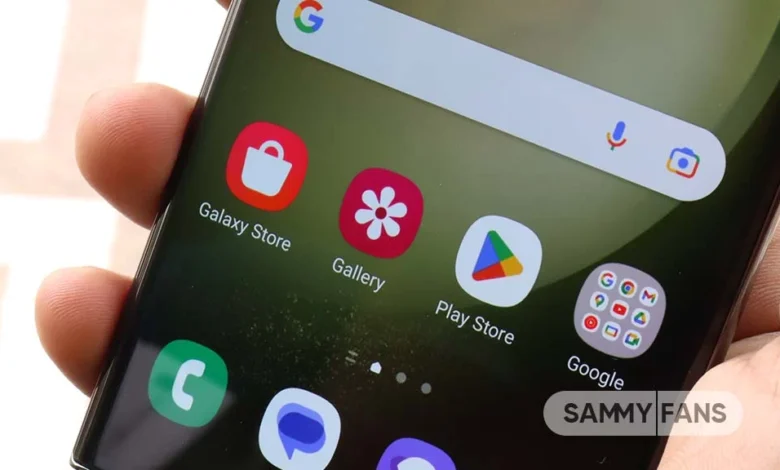
The Samsung Gallery app is one of those pre-installed apps that many users take for granted, yet it quietly plays a massive role in the Samsung smartphone experience. While some people assume it is just another basic photo viewer, the truth is that Samsung Gallery has evolved into a powerful media management tool with advanced features that rival even popular third-party gallery apps.
Designed specifically for Samsung devices, the Samsung Gallery App integrates deeply with Samsung’s ecosystem, offering smooth performance, intelligent organization, editing tools, and cloud connectivity. Whether you are a casual phone user, a content creator, or someone who stores thousands of photos and videos, Samsung Gallery is built to handle your needs efficiently.
In this article, we’ll explore the Samsung Gallery app in depth—how it works, what makes it unique, and why it continues to be one of the best gallery apps available on Android today.
What Is the Samsung Gallery App and Why It Matters
The Samsung Gallery app is the default photo and video management application on Samsung smartphones and tablets. It serves as the central hub where all your captured images, screenshots, downloads, screen recordings, and videos are stored and displayed. Unlike generic gallery apps, Samsung Gallery is optimized specifically for Samsung hardware and One UI software.
One of the key reasons Samsung Gallery App matters is its seamless integration with the camera system. Every photo you take using a Samsung device appears instantly in the Gallery, categorized and optimized for fast viewing. The app is designed to load images quickly, even large, high-resolution photos captured using advanced camera sensors.
Beyond basic viewing, Samsung Gallery App acts as a smart organizer. It automatically groups content by date, location, album type, and even people or objects when AI features are enabled. This reduces the effort required to manually sort files, especially for users with extensive photo libraries.
Another important reason the Samsung Gallery app stands out is reliability. Because it is developed and maintained by Samsung, it receives regular updates that align perfectly with Samsung’s system updates. This ensures consistent performance, fewer crashes, and better compatibility with new device features.
User Interface and Navigation Experience
Samsung Gallery’s user interface is clean, minimal, and designed for ease of use. From the moment you open the app, everything feels intuitive. The main screen typically displays photos in a grid layout, sorted by date, making it easy to scroll through memories chronologically.
The app uses Samsung’s One UI design philosophy, which prioritizes reachability and comfort. Important controls are placed toward the bottom of the screen, making one-handed usage much easier—especially on large phones. Tabs like “Pictures,” “Albums,” and “Stories” are clearly labeled and easy to switch between.
Navigation within albums is smooth and responsive. Tapping on an image opens it instantly in full-screen mode, where swipe gestures allow you to move between photos effortlessly. Pinch-to-zoom works smoothly, and double-tap zooming feels natural and precise.
The overall design avoids clutter while still offering powerful tools. Advanced features like editing, sharing, and deleting are neatly tucked into menus that are easy to access without overwhelming the user. This balance between simplicity and functionality is one of the biggest strengths of the Samsung Gallery app.
Photo and Video Organization Features
One of the standout features of the Samsung Gallery app is how intelligently it organizes photos and videos. Instead of dumping everything into a single folder, the app automatically creates albums based on content type, such as Camera, Screenshots, Downloads, WhatsApp Images, and Screen Recordings.
Albums can also be customized. Users can rename albums, move photos between folders, hide private albums, or create new ones manually. This flexibility allows users to tailor their gallery experience to match their personal organization style.
Samsung Gallery App also includes automatic grouping based on time and location. Photos taken on the same day or during the same trip are grouped together, making it easier to relive events. When location services are enabled, the app can even show where photos were taken using map-based views.
For videos, Samsung Gallery App provides thumbnail previews, duration labels, and smooth playback. It handles everything from short clips to large 4K or 8K videos without noticeable lag, especially on newer Samsung devices optimized for high-performance media playback.
Advanced Editing Tools Inside Samsung Gallery
Many users don’t realize that Samsung Gallery App includes a surprisingly powerful built-in photo and video editor. You don’t need to install extra apps for basic or even moderately advanced editing tasks.
For photos, the editing tools include cropping, rotating, straightening, brightness adjustment, contrast control, saturation tuning, and color balance. There are also filters that can be applied with adjustable intensity, allowing users to enhance photos without making them look over-processed.
Samsung Gallery App also supports AI-based editing features. Depending on the device and software version, users can remove shadows, enhance details, blur backgrounds, or improve image clarity automatically. These features are especially useful for quick edits before sharing photos on social media.
Video editing tools allow trimming, cropping, adjusting playback speed, and even adding music or simple effects. While it’s not a replacement for professional video editing software, it is more than capable for everyday use and quick content creation.
AI Features and Smart Search Capabilities
Artificial intelligence plays a major role in modern versions of the Samsung Gallery app. One of the most impressive AI features is Smart Search. Instead of scrolling endlessly, users can search for terms like “beach,” “food,” “cats,” or “documents,” and the app will intelligently surface relevant images.
Face recognition is another powerful tool. Samsung Gallery App can identify and group photos of the same person into a single collection. This makes it incredibly easy to find pictures of family members, friends, or even pets, without manually tagging every photo.
The app also recognizes objects, scenes, and text within images. For example, searching for “car,” “flower,” or “receipt” often brings accurate results. This feature is especially useful for users who store work-related images or scanned documents in their gallery.
AI features continue to improve with updates, making Samsung Gallery App smarter over time. As the app learns from usage patterns, search accuracy and organization become more refined, delivering a more personalized experience.
Privacy, Security, and Hidden Albums
Privacy is a growing concern for smartphone users, and Samsung Gallery App offers several features to protect sensitive content. One of the most useful tools is the ability to hide albums. Hidden albums won’t appear in the main gallery view, keeping private photos out of sight.
For even stronger protection, Samsung Gallery integrates with Samsung’s Secure Folder. Photos and videos stored in Secure Folder are encrypted and protected by biometric authentication, such as fingerprint or facial recognition. This makes it an excellent option for storing personal or confidential media.
Users also have control over permissions, allowing them to decide which apps can access gallery content. This level of control adds an extra layer of security and ensures that personal photos are not shared without consent.
Additionally, deleted photos are usually moved to a recycle bin instead of being permanently erased immediately. This gives users a safety net in case something important is deleted accidentally.
Samsung Gallery and Cloud Integration
Samsung Gallery works closely with Samsung Cloud and other cloud-based services, making it easier to back up and sync photos across devices. When cloud sync is enabled, photos and videos are automatically uploaded, reducing the risk of data loss.
Cloud integration is especially useful for users who switch devices or use multiple Samsung products, such as phones and tablets. Your gallery stays consistent across devices, ensuring that your memories are always accessible.
The app also supports integration with third-party cloud services in some regions, giving users flexibility in how they manage backups. This hybrid approach allows users to combine local storage with cloud solutions based on their preferences.
Automatic syncing works quietly in the background, and users can control what gets backed up and when. This helps balance storage usage, data consumption, and convenience.
Performance and Optimization on Samsung Devices
Because Samsung Gallery is built specifically for Samsung hardware, performance is one of its strongest points. The app is optimized to take advantage of Samsung’s processors, memory management, and display technology.
Photos load quickly, scrolling remains smooth even with large libraries, and high-resolution images are handled efficiently. This is particularly noticeable on flagship devices with advanced displays, where images appear vibrant and sharp.
Battery optimization is another advantage. Samsung Gallery is designed to minimize background activity, ensuring it doesn’t drain battery unnecessarily. Compared to some third-party gallery apps, it tends to be more efficient and stable.
Even on mid-range Samsung devices, the Gallery app performs reliably. This consistent performance across different price ranges is a testament to Samsung’s optimization efforts.
Comparison with Third-Party Gallery Apps
Many Android users consider installing third-party gallery apps, but Samsung Gallery often makes that unnecessary. Compared to generic gallery apps, Samsung Gallery offers better system integration, faster performance, and more polished features.
Unlike ad-supported gallery apps, Samsung Gallery provides a clean, ad-free experience. This alone makes it more pleasant to use on a daily basis. There are no intrusive pop-ups or unnecessary notifications.
Third-party apps may offer niche features, but they often lack the deep optimization that Samsung Gallery has. Features like Secure Folder integration, AI-based organization, and seamless cloud syncing give Samsung Gallery a clear advantage.
For most users, Samsung Gallery strikes the perfect balance between simplicity and power, making it a strong alternative to downloading additional apps.
Why Samsung Gallery Continues to Improve Over Time
Samsung actively updates the Gallery app as part of its One UI ecosystem. With each major software update, new features, refinements, and performance improvements are introduced. This commitment ensures that the app doesn’t feel outdated over time.
User feedback plays a role in shaping updates. Samsung often refines the interface, improves AI accuracy, and enhances editing tools based on real-world usage patterns. This ongoing evolution keeps the app relevant and competitive.
As smartphone cameras continue to improve, Samsung Gallery App adapts to handle larger files, new image formats, and advanced video codecs. This future-proof approach ensures that the app remains capable as technology advances.
Conclusion:
The Samsung Gallery app is far more than a basic photo viewer. It is a comprehensive media management solution designed to work seamlessly with Samsung devices. From intelligent organization and powerful editing tools to strong privacy features and smooth performance, it offers everything most users need in a gallery app.
What makes Samsung Gallery truly stand out is how effortlessly it blends simplicity with advanced functionality. Casual users can enjoy easy navigation and automatic organization, while power users can take advantage of AI search, editing tools, and secure storage options.
If you own a Samsung smartphone, the Gallery app is not just a default app—it’s a well-crafted tool that continues to improve with time. For many users, it eliminates the need for any third-party gallery apps, proving that built-in software can be both powerful and enjoyable to use.